Investigations
Browse, filter, and read the verdict and reports for a case.
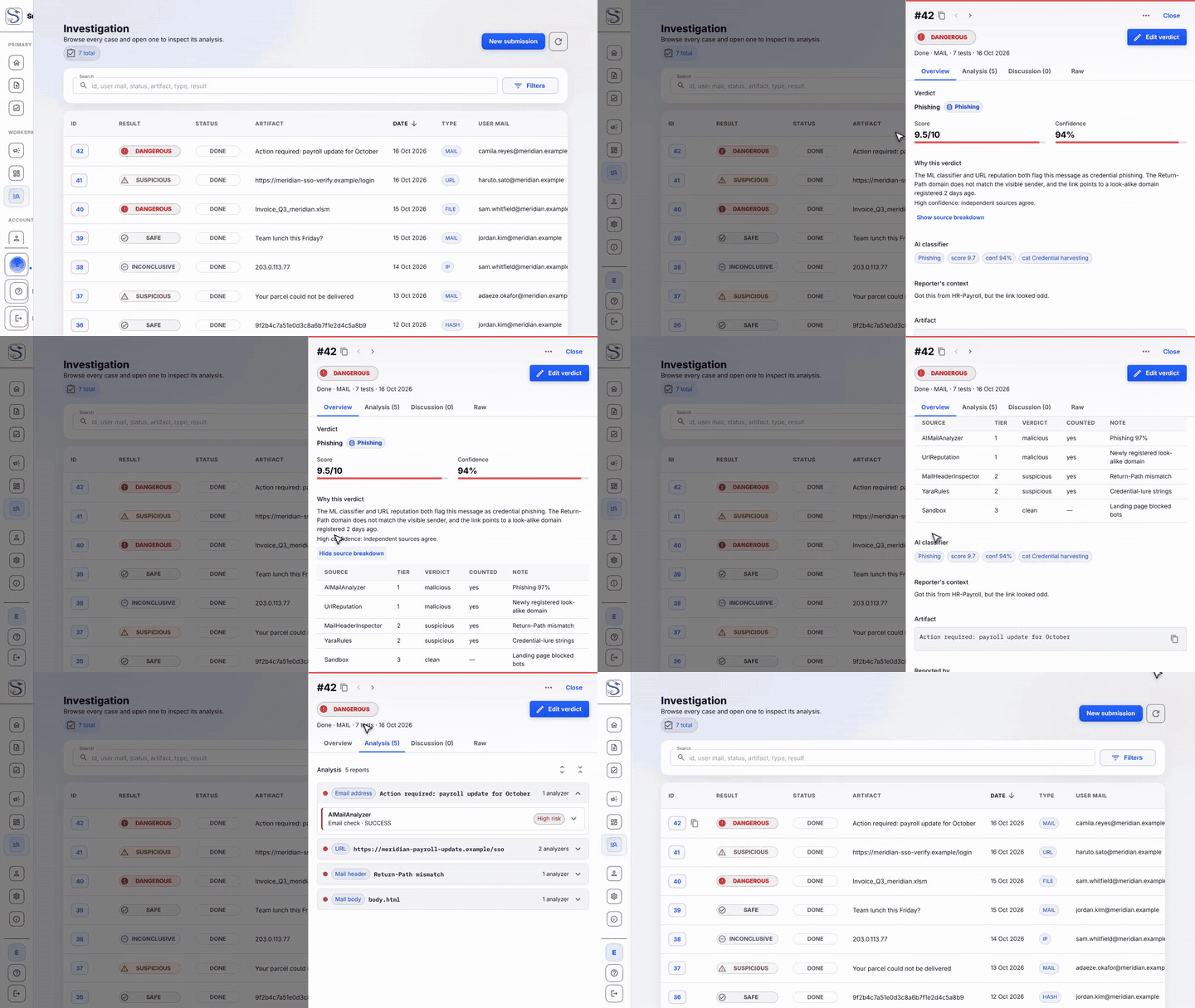
Why this verdict
Every scored case shows a plain-language explanation of its verdict, not just the Safe/Suspicious/Dangerous/Inconclusive band. It's a short analyst-facing paragraph plus a confidence reading, generated deterministically from the same scoring inputs that set the band — never a separate, independently "guessed" verdict. Click Show source breakdown to see which sources counted toward the decision and why.
Downloading the full report
The Full report button (on a case's detail view) downloads a self-contained HTML file: the verdict, the per-indicator evidence, source tables, and any captured screenshots, inlined so the file works offline with no login required to open it. It's available to anyone who can see the case — the case's own reporter as well as investigators — and it follows your OS/browser's light or dark preference automatically.
Verdict narration (optional, admin-configured)
If an administrator has enabled the ai_narration connector, a finalised
case also gets an LLM-generated narrative summary, generated from the same
locked-in verdict facts so it can never contradict the actual score. This is
currently an operational/audit feature (visible in logs, not yet rendered in
the UI or the downloadable report) — ask your administrator if you're not
sure whether it's active for your deployment.